

So, you may be wondering:
Can MidJourney make pixel art?
The answer, is of course, yes. At this point, there really isn’t much that MidJourney can’t do.
So in this guide, we’ll break down how you can create stunning pixel art, showcase some amazing styles you can use, and provide 50 MidJourney pixel art prompts for some juicy inspiration.
Let’s get right to it.
Useful Pixel Art References
To effectively use MidJourney for pixel art, it’s important to understand the various forms of pixel art and where they come from.
With that in mind, here’s a breakdown of key concepts, bit sizes, and iconic references to inspire your creativity.
You can go ahead and use these in your prompts, hopefully allowing you to achieve your desired look and feel.
Bit Sizes
First of all, what is a bit size?
Bit size refers to early gaming hardware’s computing power and visual capabilities.
The bit size influences the overall detail seen in the image, the higher the bit size, the more detail can be displayed.
Understanding these styles and bit sizes is crucial for creating pixel art in MidJourney.
So let’s take a closer look at some different bit sizes and MidJourney’s ability to reproduce them.

8-Bit Pixel Art:
- Features: 256 colors, semi-detailed character sprites, and backgrounds.
- Example Consoles: NES, Sega Master System, Commodore 64.
- Iconic Games:
- Super Mario Bros. (NES)
- The Legend of Zelda (NES)
- Castlevania (NES)
- Sonic the Hedgehog (Sega Master System).

16-Bit Pixel Art:
- Features: Up to 65,536 colors, more detailed sprites, smoother animations.
- Example Consoles: SNES, Sega Genesis, Neo Geo.
- Iconic Games:
- Chrono Trigger (SNES)
- The Legend of Zelda: A Link to the Past (SNES)
- Street Fighter II (Arcade/SNES)

32-Bit Pixel Art:
- Features: High color depth, pseudo-3D effects, and more intricate animations.
- Example Consoles: PlayStation 1, Sega Saturn, Game Boy Advance.
- Iconic Games:
- Final Fantasy Tactics (PS1)
- Metal Slug (Neo Geo)
- Advance Wars (GBA).

Modern Pixel Art (Post-32-Bit):
- Features: Unlimited colors and modern tools for retro aesthetics with modern resolution.
- Example Platforms: Indie games on PC, Switch, and modern consoles.
- Iconic Games:
- Celeste (2018)
- Stardew Valley (2016)
- Undertale (2015).
Consoles
Each console generation contributed to the evolution of pixel art and each is known for its specific look and style.
With that in mind, referencing specific systems can help guide MidJourney to your desired aesthetic.
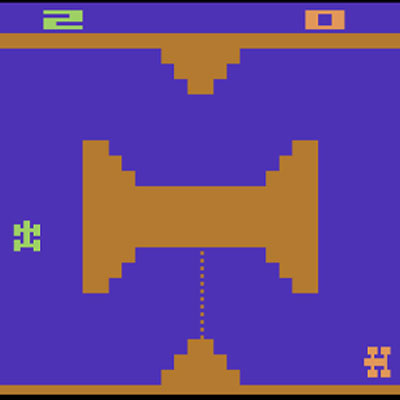
Atari 2600 (1977): Defined the early days with simple, blocky visuals.
- Games to Reference: Pac-Man, Adventure.
- Prompt Tips: “Atari 2600-style pixel art, simple sprites, minimal detail.”

Nintendo Entertainment System (NES, 1983): The 8-bit era brought iconic characters and expansive worlds.
- Games to Reference: Super Mario Bros., Metroid, The Legend of Zelda.
- Prompt Tips: “NES-style pixel art, blocky characters, bright palette.”

Super Nintendo Entertainment System (SNES, 1990): The 16-bit era introduced more nuanced storytelling and artistic depth.
- Games to Reference: Chrono Trigger, Earthbound, Final Fantasy VI.
- Prompt Tips: “SNES-style pixel art, detailed environments, smooth animations.”

Sega Genesis (1988): Known for its fast action and unique visual style.
- Games to Reference: Sonic the Hedgehog, Streets of Rage.
- Prompt Tips: “Sega Genesis-style pixel art, dynamic poses, bold colors.”

Neo Geo (1990): High-end arcade graphics with incredible sprite detail.
- Games to Reference: Metal Slug, King of Fighters.
- Prompt Tips: “Neo Geo-style pixel art, intricate sprites, action-packed scenes.”

Modern Indie Platforms: Today, indie games continue the pixel art tradition with advanced tools.
- Games to Reference: Stardew Valley, Shovel Knight, Hollow Knight, Terraria.
- Prompt Tips: “Modern pixel art, indie game style, detailed yet retro.”
Games
Much like consoles, specific games have become iconic for their visual style, and therefore are great references for MidJourney pixel art prompts.
Below are some well-known games with distinctive art styles that you can utilize in your prompts.
- Platformers:
- Super Mario Bros. (NES)
- Donkey Kong (Arcade/SNES)
- Celeste (PC/Modern consoles).
- RPGs:
- Final Fantasy VI (SNES)
- Chrono Trigger (SNES)
- Earthbound (SNES).
- Action/Adventure:
- The Legend of Zelda: A Link to the Past (SNES)
- Castlevania: Symphony of the Night (PS1)
- Hollow Knight (Modern, Indie).
- Fighting Games:
- Street Fighter II (SNES/Arcade)
- King of Fighters (Neo Geo).
- Indie Games:
- Stardew Valley (PC/Modern consoles)
- Shovel Knight (PC/Modern consoles)
- Hyper Light Drifter (PC/Modern consoles).
- Terraria (PC/Modern consoles)
Hopefully, these references have provided a solid base of inspiration for your pixel art prompts in MidJourney.
Using Style Reference
Now that we have plenty of pixel art inspiration for our MidJourney creations, how do we implement the styles we like?
The first way is to type the style that we want to emulate. For example, I’m a MASSIVE fan of the game Terrarria, which uses a 16-bit pixel art design.
If I wanted to utilize this art style in my image, I’d include the following in my prompt: “16 bit Terraria art style”, or “Terraria pixel art style”.
Alternatively, we could grab an image from the game, even a screenshot, and upload this to MidJourney.
We could then select the style reference icon and write our prompt as normal.

Image to Image
So, what if we have an image that we’d like to turn into pixel art?
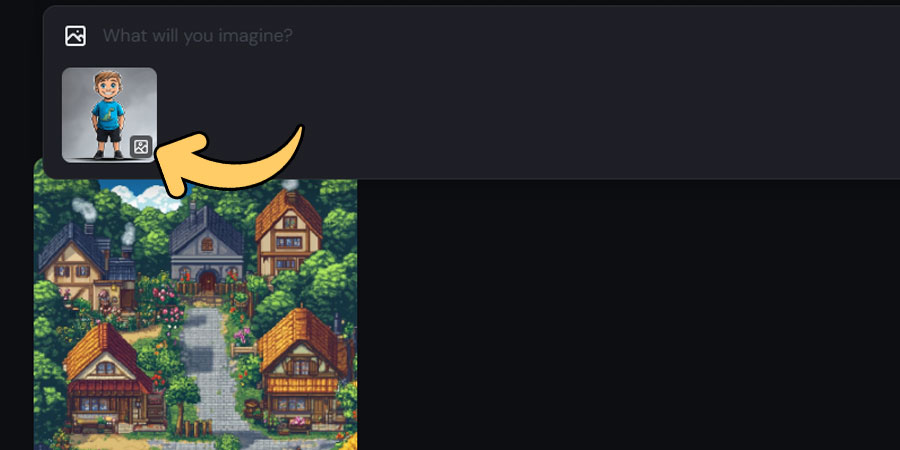
Well, that’s extremely easy to do using the MidJourney web app.
Upload our image, and select the ”use as image prompt icon”.
We can then type in the art style that we like, for example: “16-bit pixel art style”, alongside any other information we’d like to include in the prompt.
Creating a Character
First of all, I’d recommend reading our guide on MidJourney character design, as that has a ton of useful information.
That said, the basics are this:
- Decide on an art/ bit style that you like, as this will determine the amount of detail displayed. More bits = more detail.
- Start with the basics such as gender, hair & eye color, and outfit.
- Add in any additional information such as weapons if you’re making a game, poses, and camera angles.
- Discuss the setting, lighting, and theme of the image. E.g. an underground mushroom biome with fluorescent green lighting.
If you want to generate multiple images with the same pixel art character, check out our guide on creating a consistent character in MidJourney.
50 MidJourney Pixel Art Prompts
Ok, with all of the basic information out of the way, now it’s time for the fun stuff…
Showing different MidJourney pixel art prompts and the images they’ve generated.
50 is a lot of images, so I’ve broken these down into categories. You can use the table of contents on the left to go straight to your desired category.
Let’s take a look.
MidJourney Pixel Art Prompts By Bit Sizes
8-Bit Prompts:

8-bit pixel art of a fantasy castle on a hill, vibrant colors, NES style.
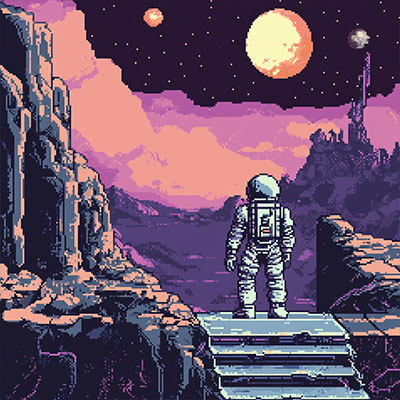
8-bit pixel art of a space explorer in a retro sci-fi setting, blocky details.
8-bit pixel art of a dragon breathing fire, limited shading, bold outlines.

8-bit pixel art of a bustling medieval town, colorful market stalls.

8-bit pixel art of a pixelated spaceship flying through a starry galaxy.

8-bit pixel art of a classic RPG hero holding a glowing sword, pixelated magic effects.

8-bit pixel art of a jungle with pixelated animals, dense foliage, NES palette.
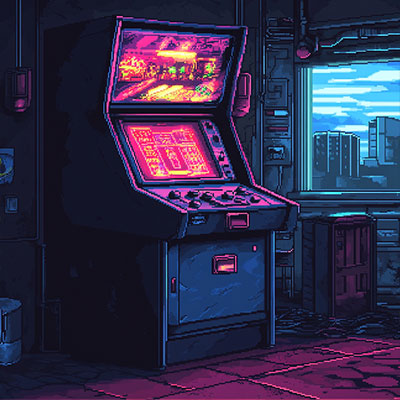
8-bit pixel art of a retro arcade machine with glowing neon details.

8-bit pixel art of a haunted mansion with ghosts, spooky and atmospheric.

8-bit pixel art of a cheerful farmer tending crops, inspired by farming simulators.
16-Bit Prompts:

16-bit pixel art of a vibrant underwater scene, with coral reefs and pixelated fish.
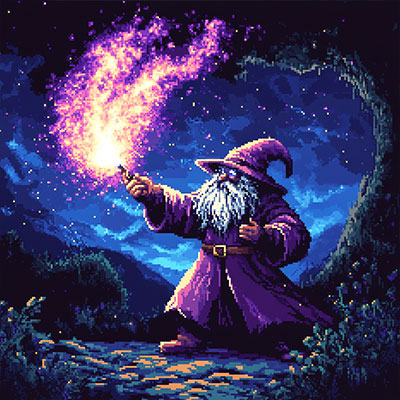
16-bit pixel art of a wizard casting a spell, glowing effects, SNES RPG style.

16-bit pixel art of a steampunk airship floating above a cloud city.
16-bit pixel art of a desert caravan with camels and travelers, dynamic shading.
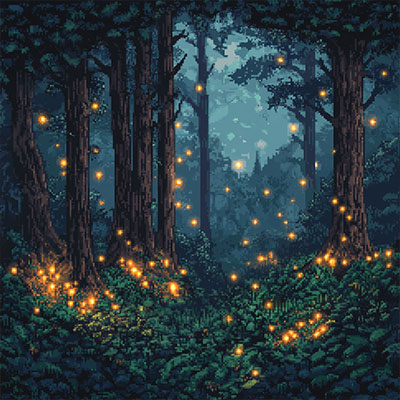
16-bit pixel art of a pixelated forest with intricate tree designs and glowing fireflies.

16-bit pixel art of a futuristic cyberpunk cityscape with neon lights.

16-bit pixel art of a treasure-filled dungeon, torches lighting the way.

16-bit pixel art of a pirate ship on stormy seas, dramatic and detailed waves.
32-Bit Prompts:
32-bit pixel art of a sprawling fantasy kingdom, highly detailed castle and town.

32-bit pixel art of a high-speed pixelated mech in combat, intricate machinery.
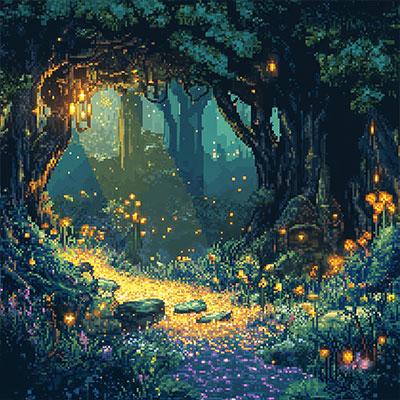
32-bit pixel art of a magical forest glowing with enchanted plants.
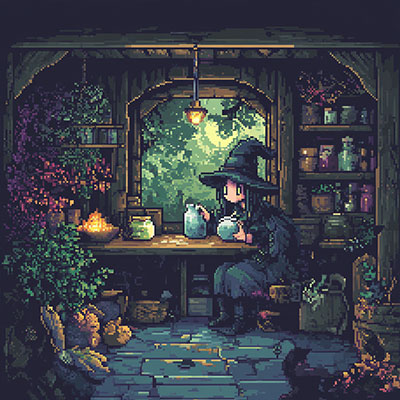
32-bit pixel art of a pixel witch brewing a potion in her cozy cabin.

32-bit pixel art of a bustling market square with merchants, banners, and pixel crowds.

32-bit pixel art of a dramatic volcanic landscape with flowing lava.

32-bit pixel art of a retro spaceship interior, detailed control panels.

32-bit pixel art of a knight battling a giant ogre in a detailed battlefield.

32-bit pixel art of a serene lake surrounded by pixelated trees at sunset.

32-bit pixel art of a pixelated alien invasion, flying saucers and pixelized lasers.
MidJourney Pixel Art Prompts By Consoles
NES Prompts:

NES-style pixel art of a hero fighting an evil sorcerer in a magical arena.
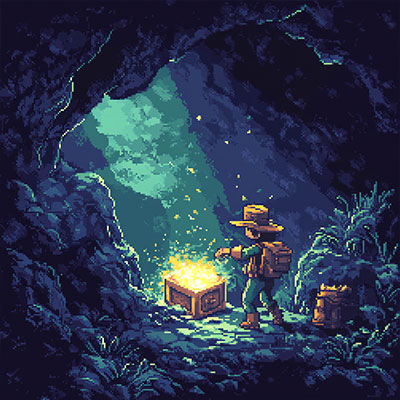
NES-style pixel art of a cave explorer finding a glowing treasure chest.

NES-style pixel art of a pixel spaceship dodging asteroids, retro shooter vibes.

NES-style pixel art of a princess in a tower guarded by a fierce dragon.

NES-style pixel art of a pixel spaceship dodging asteroids, retro shooter vibes.
SNES Prompts:
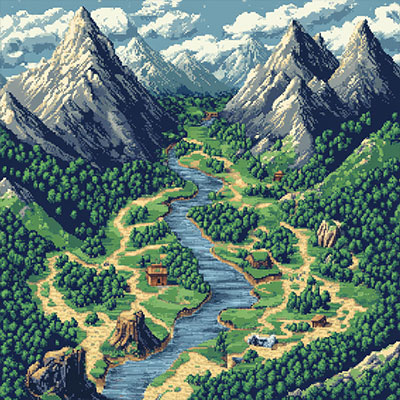
SNES-style pixel art of a sprawling RPG map, complete with mountains and rivers.

SNES-style pixel art of a magical girl in a celestial battle, glowing effects.

SNES-style pixel art of a pixel zombie apocalypse, gritty and detailed.
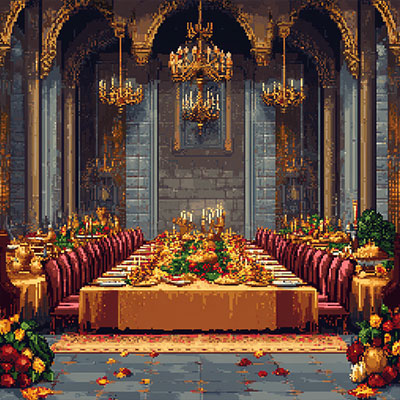
SNES-style pixel art of a royal feast in a grand dining hall, vibrant colors.

SNES-style pixel art of a pixel zombie apocalypse, gritty and detailed.
Sega Genesis Prompts:

Sega Genesis-style pixel art of a pixel ninja leaping through a moonlit cityscape.
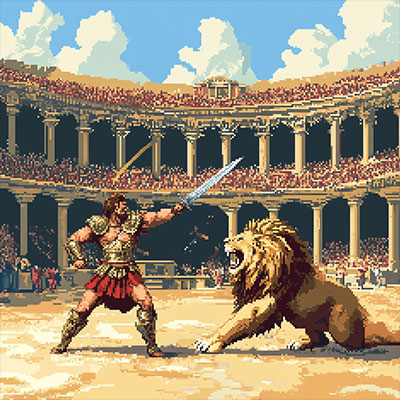
Sega Genesis-style pixel art of a gladiator battling a lion in a coliseum.

Sega Genesis-style pixel art of a jungle ruins setting, overgrown with vines.

Sega Genesis-style pixel art of a cyber warrior confronting a robotic overlord.

Sega Genesis-style pixel art of a pixel bounty hunter in a desert wasteland.
MidJourney Pixel Art Prompts By Games
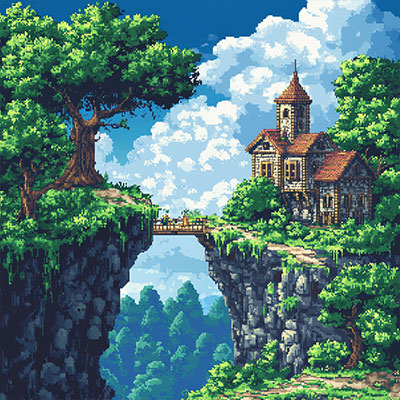
A 2d landscape, filled with trees, a castle, and a tree house in a 16 bit Terraria art style
A gorgeous village in the 64 bit style of Stardew Valley
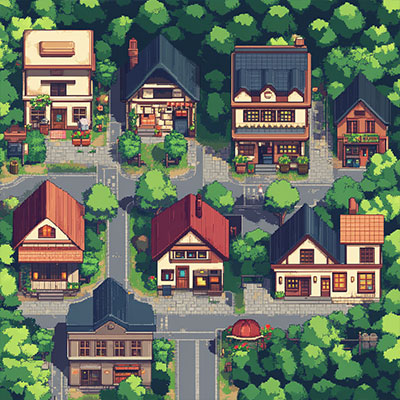
A town with different shape and size buildings, in the 16 bit style of Pokemon Ruby

Pixel art of a brave adventurer holding a glowing shield, ready to explore dungeons.
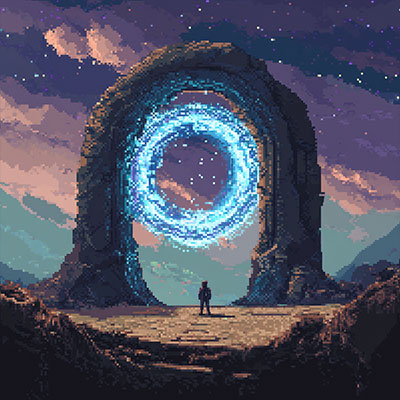
Pixel art of a time traveler standing before a swirling portal, SNES RPG style.
Final Thoughts
Well, there we have it.
Hopefully, our MidJourney pixel art prompts have inspired your creativity, whether you’re crafting characters, designing environments, or drawing inspiration from iconic games like Terraria, Stardew Valley, or Castlevania.
The beauty of pixel art lies in its versatility—it can tell epic stories, evoke powerful emotions, or simply bring joy with its charming, blocky style.
Now it’s your turn to experiment with MidJourney, refine your prompts, and push the boundaries of what’s possible in this retro-inspired medium.
Let your creativity shine, one pixel at a time.
