

I’ve said it before, and I’ll say it again:
MidJourney is an amazing tool for bringing your creative vision to life.
Whether you’re creating a coloring book, modeling the interior of your home, or as we’ll be discussing today – designing a character, MidJourney is the perfect fool for any creative project.
With that in mind, I’ve put together this MidJourney character design guide to break down how to get the most out of MidJourney and bring your stories to life!
This guide will explore the fundamentals of character design within MidJourney, offering practical advice, 30 tested prompt examples, and techniques for achieving consistency across your creations.
So, let’s dive right in.
Understanding Character Design in MidJourney
First things first, let’s discuss what is possible with MidJourney.
Spoiler alert – a lot is possible.
MidJourney offers diverse options in character creation, allowing you to design anything from highly stylized fantasy characters to realistic images.
While MidJourney can excel in bringing artistic details to life—like lighting, textures, and colors—it will almost certainly require iterative refinements to perfect specific character features.
In short, you rarely get what you’re looking for on the first try. MidJourney is often a game of trial and error, requiring multiple iterations before you’re happy with the result.
Fortunately, you’re about to learn how to navigate these nuances, making the most of MidJourney’s tools to capture distinct character styles, whether you’re aiming for a gritty cyberpunk hero or a serene medieval knight.
MidJourney Character Design Guide
Ok, let’s discuss some tips and tricks that you can use to enhance your MidJourney prompts for character design.
Describing Your Character
The best MidJourney character design prompts will include specific traits that reflect your character’s essence.
This can range from physical features (e.g., “sharp jawline, piercing green eyes”) to personality (e.g., “stoic, disciplined”) and attire (e.g., “worn leather armor with brass studs”).
What’s more, try using contextual terms such as “grizzled,” “elegant,” “otherworldly,” or “mysterious” to set a tone, especially if you want to emphasize a specific atmosphere or feeling.
Ask yourself – where has my character been, what have they done, and how does this affect their demeanor?
Here are two example character design prompts, one includes contextual information about the character (prompt A), whilst the other solely focuses on their appearance (prompt B).
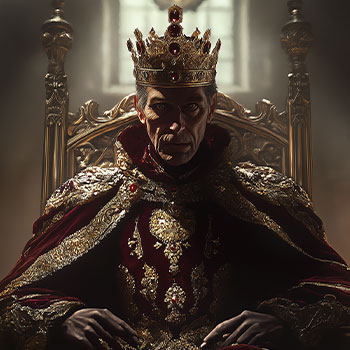

As you can see, prompt A delivers a far more dramatic result, really capturing the essence of the character.
Create a Character a Character Sheet
A character sheet provides a detailed overview of your character and showcases their overall design (different poses, stances, clothing, etc.).
Below is a character sheet that I have put together of a rogue-like character I’ve designed. As you can see, the character sheet gives a full, clear overview of the character, their style, demeanor and traits.

These are a “must-have” when designing a character.
So, how do we put together a character sheet?
Well, by combining MidJourney images into one, master image showcasing our new character.
Below, I’ll discuss some tips for putting together a character sheet.
Multiple Poses
Creating a character in multiple poses adds a layer of versatility and dynamism to your design.
It allows you to showcase your character’s personality, strengths, and actions, making them feel more alive and adaptable to different storytelling scenarios.
By using MidJourney to generate a variety of poses, you can bring your character’s story to life through expressive and engaging imagery.
Here are some example prompts of various poses that you can use.
- Basic Pose: “A tall, rugged warrior with short brown hair and a scar on his cheek, standing with arms crossed, determined expression, full-body shot.”
- Action Pose: “Same warrior, holding a sword in his right hand, crouching with a fierce look, ready to strike, side view.”
- Casual Pose: “Warrior in a casual stance, one hand resting on the hip, looking into the distance with a relaxed expression, half-body shot.”
- Back View: “Back view of the same warrior, dark leather armor and sheath visible, looking over his shoulder.”
Different Perspectives
So, what else can we do to improve our character sheet?
Well, we can change perspectives to allow for a comprehensive look at your character.
Try prompts like “side view, looking forward,” “back view with hands on hips,” or “three-quarter angle, smiling at the camera.”
These varied angles give depth to your character design, offering multiple views of their attire and features.
Here are some example prompts you can use that utilize various perspectives:
Front and Standard Angles
- “Front view, standing confidently with arms crossed, full-body shot.”
- “Direct front view close-up, looking into the camera with a serious expression.”
Side and Profile Views
- “Side profile, standing with hands on hips, gazing into the distance.”
- “Side view, crouching in a combat stance, focused expression.”
Back and Over-the-Shoulder Angles
- “Back view, looking over the shoulder with a mischievous smile.”
- “Back view, standing with hands on hips, cloak billowing slightly.”
Low and High Angles
- “Low angle, looking up at character standing heroically, hands on hips.”
- “High angle from above, looking down at character crouched on one knee, thoughtful expression.”
Close-Up and Half-Body Views
- “Half-body view, one hand extended forward as if reaching out.”
- “Close-up, looking down with a soft smile, showing intricate face details.”
Overhead and Unique Perspectives
- “Overhead view, character lying on the ground, gazing up thoughtfully.”
- “From behind and slightly above, a character looking forward, hair blowing in the wind.”
By using a number of the above-mentioned poses and perspectives, you’ll create a fully comprehensive character sheet perfect for any character design project.
Set Your Art Style
One of the best aspects of MidJourney is the sheer number of styles that it can use. From Pixel Art style to hyper realism, the possibilities really are endless!
Listing off every style that MidJourney can create is an impossible task, so I’d suggest pulling inspiration from various sources that you wish to emulate and going from there.
What’s more, mixing styles can give your characters unique aesthetics, blending unexpected elements for a more original design.
Experiment, play around, and see what you can create!
Leverage Colors and Lighting
The best MidJourney character design prompts will often include details regarding the color and lighting.
This is because the colors and lighting play a significant role in setting the mood of the image.
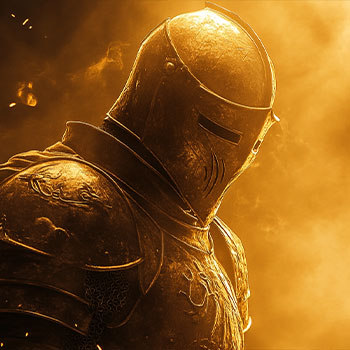
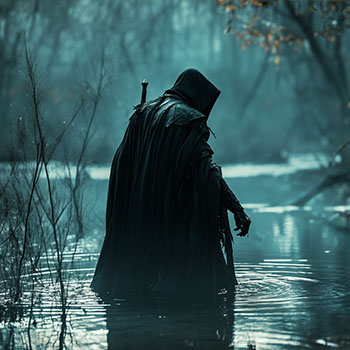
For a heroic character, you might want to incorporate “warm lighting with golden highlights,” while a villain might benefit from “cold shadows and muted, dark tones.”
Below you can see the difference that lighting can make when depicting either a hero or a villain.
How to Maintain Character Consistency
Keeping your character consistent across multiple images is one of the hardest aspects of character design in MidJourney.
Now, I have a full guide on how to create consistent characters in MidJourney, so I’ll keep this brief.
Achieving a consistent character can be broken down into 3 simple steps:
- Creating a character reference image
- Attaching the character reference image to your prompt
- Select the character reference icon within the prompt bar (when using the web app).
You can adjust how heavily the character reference images influence the prompt using the character weight parameter (–cw). This goes from 0 to 100, with 100 being the most influential.
You can check out my full video below on achieving character consistency with MidJourney.
Iterative Refinement
Don’t be afraid to adjust and re-run prompts with slight modifications. In fact, this is all part of the process.
Take what you like, and keep that in the prompt. Anything you don’t like, remove or change.
Iterative refinement allows you to zero in on the exact look you want, keeping what works and changing what doesn’t.
Keep on tweaking, and you’ll no doubt achieve the desired result.
Using the Edit Tool
You can use MidJourney’s edit tool to change specific parts of the image that you’re not happy with.
Simply click the edit button when you have your image open.

Highlight the area that you’d like to change, and then edit your prompt to reflect the changes that you want to see.
For example, I want to change the outfit my character is wearing in the image below.

So I click the editor button.
Highlight the character’s outfit, and update my prompt. This time, I’ll change it to “wearing a white tennis outfit”.

And boom…
As you can see, our character is now wearing a different outfit.

Best MidJourney Prompts for Character Design
Right, with the details out of the way, I’m going to list some of the best MidJourney character design prompts alongside their examples.
Feel free to incorporate these into your work and see what results you can achieve.
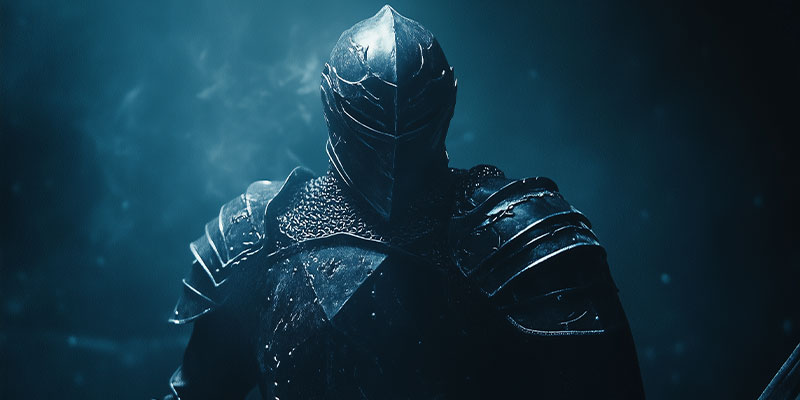
Prompt: A heroic knight in full armor, standing tall with a determined expression, low-angle shot, dramatic backlighting, dark fantasy style.

Prompt: A modern detective in a trench coat, leaning against a brick wall, side profile, looking away pensively, moody noir lighting, close-up.

Prompt: A cyberpunk street artist with neon tattoos, crouching mid-action, looking over the shoulder with a smirk, three-quarter view, neon-lit background.

Prompt: A medieval wizard in dark robes, holding a staff with glowing crystal, gazing into the distance, high-angle shot, ethereal light illuminating his face.

Prompt: A futuristic android soldier, standing with a weapon in hand, looking directly into the camera, front view, intense expression, cold blue lighting.

Prompt: A forest elf with long, flowing hair, side profile, looking up at the sky with a serene smile, soft natural lighting, fantasy realism.

Prompt: A young pirate with a sword in hand, standing on a ship deck, half-body shot, slightly tilted low-angle, golden sunset lighting, adventurous expression.

Prompt: A Victorian-era noblewoman in an elegant dress, sitting by a window with light streaming in, looking down thoughtfully, half-body, soft lighting.

Prompt: A Viking warrior, standing with arms crossed, side profile, intense gaze, gritty texture, misty background, dramatic backlight. Full body shot.

Prompt: A superhero in futuristic armor, mid-stride with a determined expression, low-angle shot, glowing cityscape at night, intense neon lighting. Long shot.

Prompt: A samurai in traditional armor, kneeling with a katana in front, looking down solemnly, dim candlelight, atmospheric Japanese setting. Wide angle shot.

Prompt: A steampunk inventor with goggles, holding a mechanical device, side profile, focused expression, workshop background, warm ambient lighting. Close up shot.

Prompt: A space explorer in a sleek suit, standing with hands on hips, looking forward confidently, low angle, starry background, sci-fi style. Fully body shot.

Prompt: A mysterious assassin in a dark cloak, crouched on a rooftop, back view, looking over shoulder, moonlight casting shadows, gritty noir style.
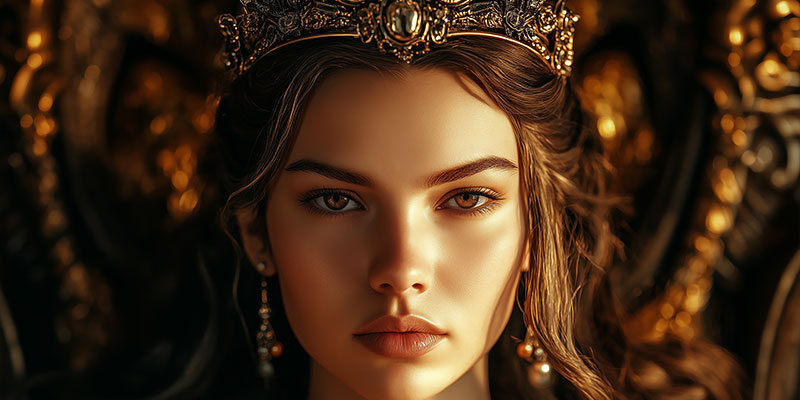
Prompt: A high-fantasy queen with a crown, sitting on a throne, frontal view, regal expression, golden warm lighting illuminating the room. Close up shot.

Prompt: A young alchemist with messy hair, holding a glowing potion, looking down with curiosity, close-up shot, mystical green glow.
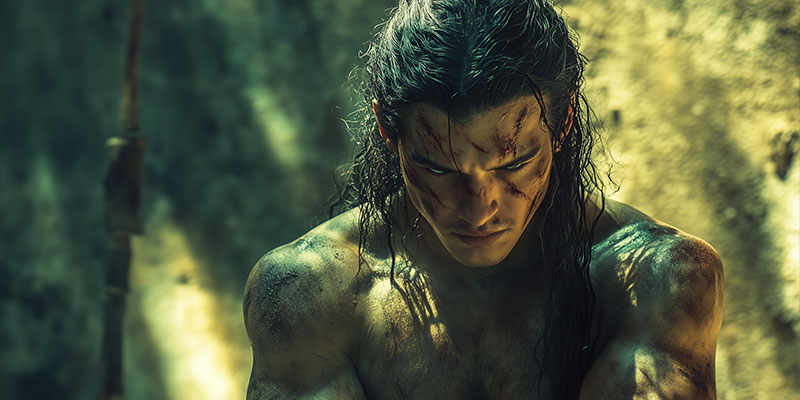
Prompt: A battle-hardened warrior with scars, standing confidently with arms crossed, front view, gritty texture, intense natural sunlight.
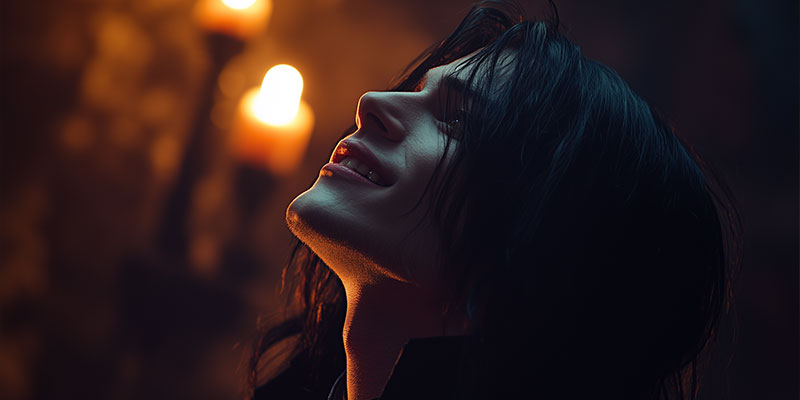
Prompt: A gothic vampire with long dark hair, looking up with a sinister smile, half-body, candle-lit environment, dark and eerie atmosphere. Fully body shot.

Prompt: A sci-fi pilot with a helmet, leaning forward in a cockpit, intense gaze, high-tech blue lighting, perspective from inside the cockpit.

Prompt: A street samurai in urban armor, crouching with one knee on the ground, looking down with focused expression, neon-lit alley, cyberpunk style.

Prompt: A desert nomad with a hooded cloak, standing against a vast sandscape, side profile, warm afternoon light, mysterious aura. Fully body shot.

Prompt: A renaissance artist with a palette, looking to the side, thoughtful expression, dim studio lighting, surrounded by half-finished paintings.

Prompt: A medieval archer with a bow, standing with a sharp focus, three-quarter back view, forest background, soft morning light. Fully body shot.

Prompt: A futuristic mercenary with a scarred face, sitting on a metal crate, looking directly at the viewer, gritty industrial background, intense blue lighting.

Prompt: A young sorceress with flowing robes, hands raised with magic swirling around, front view, confident smile, warm golden lighting. Fully body shot.

Prompt: An ancient king in battle-worn armor, standing on a hill, arms raised victoriously, low-angle view, sun setting behind, epic fantasy style. Fully body shot.

Prompt: A noble samurai with a serious expression, standing with a katana held upright, side view, traditional Japanese temple in background, calm evening light.

Prompt: A steampunk adventurer with a top hat, standing with a mechanical device, front view, looking confidently forward, intricate detail, vintage sepia tone.

Prompt: A mystical forest fairy, hovering mid-air with wings outspread, looking down with a playful smile, magical green glow, twilight lighting. Fully body shot.
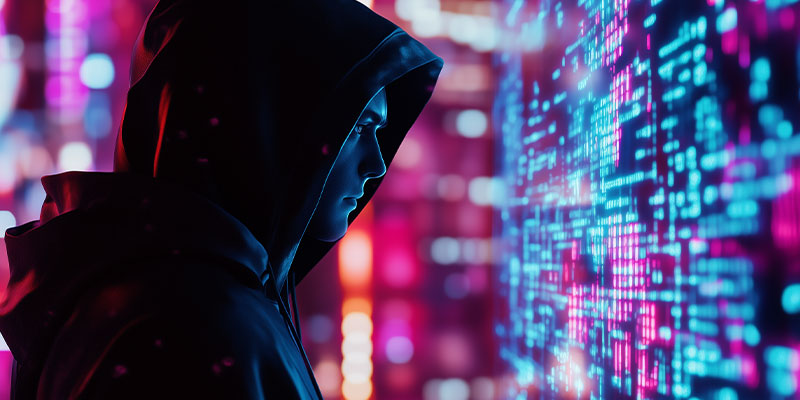
Prompt: A futuristic hacker in a dark hoodie, standing in front of a holographic screen, side profile, intense expression, neon city background, cyber glow.
MidJourney Character Design Guide: Final Thoughts
Character design in MidJourney is both an art and a science, where the details you provide in your prompts directly shape the resulting image.
With careful attention to prompt specifics, you can design characters that are not only visually captivating but also embody depth and personality.
Embrace the process, refine iteratively, and, above all, enjoy the creative journey.
I hope that our MidJourney character design guide has helped you on this journey, thanks for stopping by!
